
Best Laptop Shopping Guide 2025 (Reviews & Recommendations)
Shopping Guide / Updated date 28-08-2026

How to pick a best laptop? This laptop shopping guide covers various laptop models that are suitable for gaming, office work, and budget-friendly options, along with prices and discounts from brands like Apple, Asus, Lenovo, Samsung, Acer, and HP. Read on
Best-Selling Laptop Recommendations 2025 (High-Performance / Office / Budget Options):
Whether you’re working or studying, you need a reliable companion to help you get things done. Laptops provide the convenience of portability that desktop computers can't match. However, with so many options available, choosing the right laptop can be challenging. Do you know how to make the best choice?
![]()
Popular Laptop Recommendations 2025:
![M4 Macbook Pro]()
The new MacBook Pro features the latest M4 series chip, offering options like M4, M4 Pro, and M4 Max to meet the needs of high-performance users. It boasts a battery life of up to 24 hours, pushing the limits of what a MacBook can do.
![]()
![MacBook Air]()
Perfect for both work and play, the MacBook Air with M3 chip is more powerful than ever. Ultra-lightweight and with a battery life of up to 18 hours, it’s easy to carry and capable of handling any task swiftly.
![]()
![手提電腦推薦]()
Powered by the new Intel® Core™ Ultra processor (Intel EVO version), it combines a fast CPU, Intel® Arc™ GPU for up to 1.9 times image processing performance, and a new NPU for up to 2.3 times AI processing capabilities. The 3K touchscreen features a 48-120Hz refresh rate and 500 nits peak brightness for an immersive experience.
![]()
![MacBook推薦]()
The new 15-inch MacBook Air features a spacious Liquid Retina display, giving you ample room to work and play. The 13-inch model is also available. Both are powered by the M2 chip and offer up to 18 hours of battery life in an ultra-portable design.
![]()
![手提電腦推薦]()
Equipped with an IPS screen and a resolution of 3840 x 2160, this laptop features an Intel® Core™ i5-1235U processor, 16GB DDR5 RAM, and a 1TB M.2 PCIe SSD, making it powerful for various tasks.
![]()
![Notebook推薦]()
Recommended high-performance business notebook! This device is equipped with an AMD Ryzen 7000HS processor, expandable memory, allowing you to quickly complete tasks, whether you’re handling multiple spreadsheets, gathering data for a thesis, or engaged in "extreme programming." The comfortable keyboard and TrackPoint quick menu will s
![]()
![Notebook推薦]()
A high-performance business laptop featuring AMD Ryzen 7000HS processors and expandable memory. Ideal for multitasking, research, or coding, this laptop offers a comfortable keyboard and TrackPoint for increased productivity.
The IdeaPad Slim series features a lightweight design, meeting everyday usage needs.
![]()
While spending a higher price can get you the top-end laptop, high-end does not necessarily mean it’s the best fit for you. A suitable laptop can make your work and gaming much smoother. I believe everyone now has a better understanding of laptops. When purchasing a laptop, remember to consider your different factors, gather relevant information, and compare different models to be a savvy consumer!
![Notebook推薦]()
When buying a laptop, it is important to carefully identify your purchasing purpose in order to find the most suitable one. In terms of purpose, it can be divided into the following 5 categories:
![]()
2. Size dimensions of laptop
There are different sizes of laptop available on the market, and you can choose the most suitable one according to your needs.
The mainstream specifications range from 11 inches to 17 inches, with 14 inches being the most standard size. A 14-inch laptop weighs only about 2kg, making it convenient to carry in a backpack. Moreover, the screen size is not too small, making it comfortable to use.
If you need to carry a laptop for long periods of time for work, then a 13-inch laptop is also a good choice. Most of these laptop weigh only about 1.6kg and are thin and light, making them easy to carry.
Many consumers want to use a laptop instead of a desktop computer, so a 15-inch or 17-inch model is more suitable. Because of their larger screens, they are more comfortable to use.
![]()
3. Screen Resolution
Most of the laptop models have a screen resolution of 1366 x 768 HD, and some manufacturers also offer Full HD models with a resolution of 1620 x 1080. There are even higher-end models with a resolution of 2880 x 1800. laptop with higher resolutions will have clearer images and videos. However, if you are not using it for design work or gaming, the 1366 x 768 and 1620 x 1080 types are already sufficient for regular use.
![]()
4. CPU Specifications
The CPU, or central processing unit, of a laptop is like the brain of a person, responsible for processing calculations. Therefore, when purchasing a laptop, the CPU specifications are an important consideration.
The main CPUs in the market are I3, I5, and I7. I5 is the mainstream type, while I7 is the high-performance type. In terms of usage, there isn't much difference between I3 and I5, and the gap is not very noticeable. However, I5 generally provides a smoother experience. On the other hand, there is a significant difference between I5 and I7. For example, when it comes to programming, gaming loading, and file decompression, the difference in processing time is more than 100%.
Additionally, CPU specifications also affect the lifespan of a laptop. A laptop with an I3 processor typically has a lifespan of around 3 years; for an I5 processor, it is 4 to 5 years; while for an I7 processor, the need to replace the laptop due to outdated performance is less common.
Furthermore, the English letters in laptop models also have their meanings. For example, CPUs with a "U" in their name are low-power versions. They have lower power consumption and heat generation, allowing for more space to be allocated to enhance battery life, reduce weight, and minimize size, making them more portable. On the other hand, CPUs with an "M" indicate that the CPU can be upgraded. Those with "H" or "HQ" cannot be replaced as they are soldered onto the motherboard.
![]()
5. Graphics Card
For users who do not play games, do not need to perform graphics or video processing, using the built-in graphics card is sufficient. However, if you have the aforementioned needs, a dedicated graphics card is necessary.
Users who play games on laptop often complain about the game not running smoothly, and the main reason is that the graphics card configuration is too low. However, you should choose a suitable graphics card based on your laptop's usage, as higher-end graphics cards are more expensive.
If you don't use a laptop for gaming, you can choose an integrated graphics card, also known as a core graphics card, which is a type of graphics card integrated into the CPU and can meet the needs of players with low gaming requirements. The most common integrated graphics cards are HD4600 and HD4400.
However, upgrading a graphics card is different from upgrading a CPU. Most graphics cards are soldered onto the motherboard and cannot be replaced. Only higher-end graphics cards can be upgraded, but the technical difficulty is higher.
6. Hard disk
Hard drives are mainly divided into three types: solid-state drive (SSD), mechanical hard drive (HDD), and hybrid hard drive (SSHD).
SSD has lower capacity and higher price, but it is extremely fast. If a laptop has a large amount of files and is installed with an SSD, the computer can boot up in 5-10 seconds, open Word in 10 seconds, and open Photoshop in about 5 seconds. In contrast, a computer with a regular HDD takes at least 20 seconds to boot up, opens Word in 10 seconds, and opens Photoshop in 30 seconds. However, for gaming, SSD does not provide any improvement and only has faster boot-up and image loading speed.
HDD only has larger capacity, but its speed is not as fast as SSD.
In addition, SSHD has a large capacity and similar functions to SSD in terms of boot-up and software opening speed. However, it takes multiple repetitions to achieve a speed similar to SSD, and when continuously reading and writing or copying a large number of files, its speed is similar to that of HDD.
Hard drives are not as important as CPUs and graphics cards, and all hard drives can be replaced. Some high-end laptop reserve some hard drive interfaces, making it more convenient to add SSD later. For those without reserved interfaces, the optical drive can be removed and replaced with a hard drive. If there is no reserved interface and no optical drive, only one hard drive can be used, and speed and capacity cannot be balanced. It is best to use SSHD or upgrade to SSHD in the future.
As for the capacity of the hard drive, for SSD, 60-64GB is barely enough to install the system; for HDD and SSHD, 500GB or more is sufficient. For those who want to store a large number of movies or files, they can purchase an external hard drive in the future.
![]()
7. Memory
The built-in storage capacity of laptop is generally 4GB, 8GB, or 16GB. However, bigger is not necessarily better, and you should consider your own needs before purchasing. If it is just for general daily use, 4GB is actually sufficient.
8. Appearance and Cooling
When buying any electronic device, of course, you cannot choose based solely on its appearance. However, the appearance and cooling of laptop are somewhat related.
Generally speaking, the thicker the laptop, the better its cooling function. In addition, more metal parts and fan vents lead to better cooling.
Thin and light laptop cannot have both good cooling and appearance, just as high performance and cooling are the same.
9. Interfaces
For laptop, having two USB ports is a minimum requirement. Many laptop on the market today include at least two USB 3.0 ports, which are much faster than the older USB 2.0 version, but only when used with USB 3.0 compatible devices such as external hard drives. It is even better if the laptop has an SD card slot and an HDMI video output.
"The content is translated to English based on the original chinese version by AI tool."
- Apple MacBook Pro 14" Liquid Retina XDR M4
- Apple MacBook Air 13.6" Liquid Retina M3
- Samsung Galaxy Book4 Pro 16"
- Apple MacBook Air 15.3" M2
- GMK G-Book 14" 4K UHD
- Lenovo ThinkPad E14 AMD G6 14"
- Asus Vivobook 15 15.6"
- Lenovo IdeaPad Slim 3 Gen 8 14" FHD
Whether you’re working or studying, you need a reliable companion to help you get things done. Laptops provide the convenience of portability that desktop computers can't match. However, with so many options available, choosing the right laptop can be challenging. Do you know how to make the best choice?

Popular Laptop Recommendations 2025:
1. Apple MacBook Pro 14" Liquid Retina XDR M4
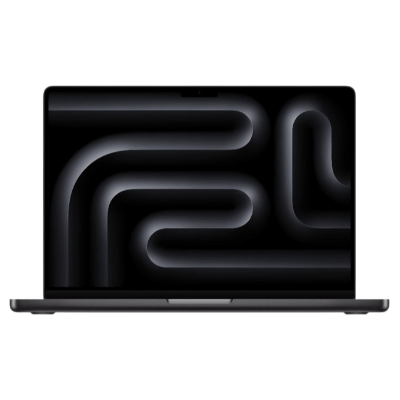
The new MacBook Pro features the latest M4 series chip, offering options like M4, M4 Pro, and M4 Max to meet the needs of high-performance users. It boasts a battery life of up to 24 hours, pushing the limits of what a MacBook can do.

2. Apple MacBook Air 13.6" Liquid Retina M3
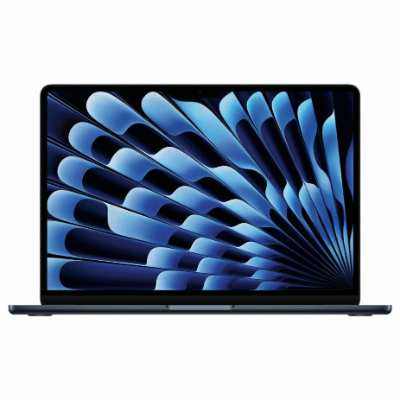
Perfect for both work and play, the MacBook Air with M3 chip is more powerful than ever. Ultra-lightweight and with a battery life of up to 18 hours, it’s easy to carry and capable of handling any task swiftly.
3. Samsung Galaxy Book4 Pro 16" Laptop
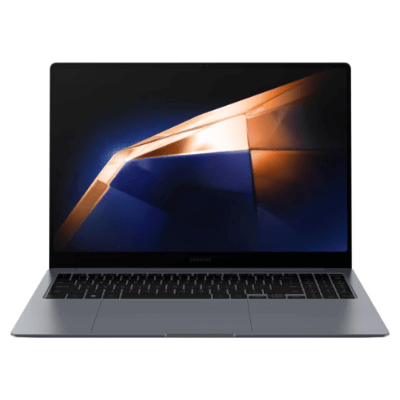
Powered by the new Intel® Core™ Ultra processor (Intel EVO version), it combines a fast CPU, Intel® Arc™ GPU for up to 1.9 times image processing performance, and a new NPU for up to 2.3 times AI processing capabilities. The 3K touchscreen features a 48-120Hz refresh rate and 500 nits peak brightness for an immersive experience.
4. Apple MacBook Air 15.3" M2/8GB/256GB/10-core GPU Laptop
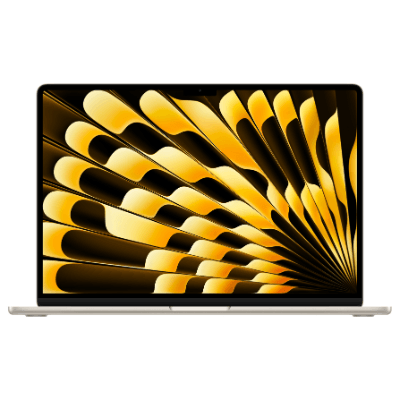
The new 15-inch MacBook Air features a spacious Liquid Retina display, giving you ample room to work and play. The 13-inch model is also available. Both are powered by the M2 chip and offer up to 18 hours of battery life in an ultra-portable design.
5. GMK G-Book 14" 4K UHD Pro Laptop
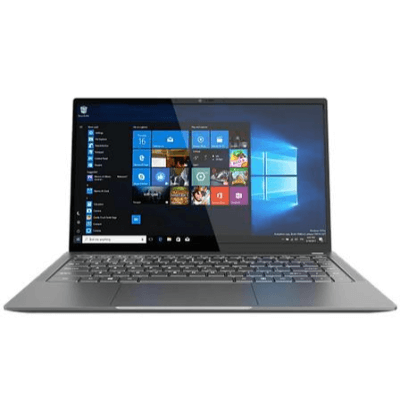
Equipped with an IPS screen and a resolution of 3840 x 2160, this laptop features an Intel® Core™ i5-1235U processor, 16GB DDR5 RAM, and a 1TB M.2 PCIe SSD, making it powerful for various tasks.
6. Lenovo ThinkPad E14 AMD G6 14"
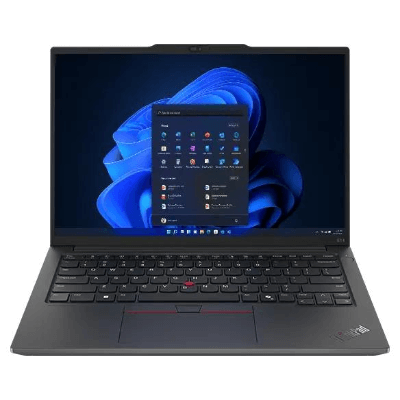
Recommended high-performance business notebook! This device is equipped with an AMD Ryzen 7000HS processor, expandable memory, allowing you to quickly complete tasks, whether you’re handling multiple spreadsheets, gathering data for a thesis, or engaged in "extreme programming." The comfortable keyboard and TrackPoint quick menu will s
- Operating System: Windows 11 Home
- Processor: Intel® Core™ 5 processor 120U (12 MB Smart Cache, 1.4 GHz Performance-core with Intel® Turbo Boost Technology 2.0 up to 5.0 GHz)
- SSD Capacity: 1024GB PCIe NVMe SSD
- Memory: 16 GB LPDDR5 Memory
- Screen Size: 15.6" FHD IPS 16:9 SlimBezel, Full HD 1920 x 1080, Acer ComfyView™ LED-backlit TFT LCD
- Resolution: 1920 x 1080
- Graphics Card: Intel® Graphics
- Network Interface: WIFI6E+BT; 802.11 a/b/g/n/ac/ax wireless LAN; Band: 2.4 GHz, 5 GHz, and 6 GHz; 2x2 MU-MIMO technology; Supports Bluetooth LE Audio
- Ports: 1x USB-C (supporting: USB4® 40Gbps/ DisplayPort over USB-C/ Thunderbolt™ 4/ USB charging 5V; 3A/ DC-in port 19V; 65W); 2x USB-A (supporting: One port for USB 3.2 Gen 1/ One port for USB 3.2 Gen 1 featuring power off USB charging); HDMI® 2.1 port with HDCP support; Headphone/speaker jack
- Audio: Two built-in stereo speakers
- Front Camera: FHD 1080p
- Battery (Backup Time): 50Wh 3-cell Li-ion battery
- Weight: 1.77 kg
- Dimensions (W x H x D): 362.9 x 237.5 x 17.9 mm
7. Asus Vivobook 15 15.6" Laptop Computer
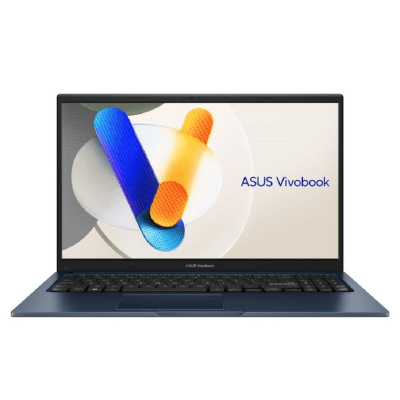
A high-performance business laptop featuring AMD Ryzen 7000HS processors and expandable memory. Ideal for multitasking, research, or coding, this laptop offers a comfortable keyboard and TrackPoint for increased productivity.
![]()
8. Lenovo IdeaPad Slim 3 Gen 8 14" FHD Home Laptop
![手提電腦推薦]()
The IdeaPad Slim series features a lightweight design, meeting everyday usage needs.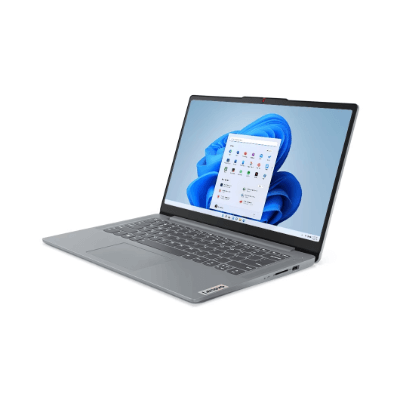
While spending a higher price can get you the top-end laptop, high-end does not necessarily mean it’s the best fit for you. A suitable laptop can make your work and gaming much smoother. I believe everyone now has a better understanding of laptops. When purchasing a laptop, remember to consider your different factors, gather relevant information, and compare different models to be a savvy consumer!

Which laptop is better? 9 laptop buying guides!
1. Purpose of purchasing a laptopWhen buying a laptop, it is important to carefully identify your purchasing purpose in order to find the most suitable one. In terms of purpose, it can be divided into the following 5 categories:
- Graphic and video design: requires extensive use of professional software such as Photoshop, After Effects, CAD, 3DMAX, etc.
- Programming and high-intensity office work: often involves programming, database management, and Word processing for dozens or hundreds of pages of data layout.
- Large-scale games: refers to large-scale 3D games played offline.
- Online games: refers to various high, medium, and low-end online games.
- Simple document processing and internet video viewing.

2. Size dimensions of laptop
There are different sizes of laptop available on the market, and you can choose the most suitable one according to your needs.
The mainstream specifications range from 11 inches to 17 inches, with 14 inches being the most standard size. A 14-inch laptop weighs only about 2kg, making it convenient to carry in a backpack. Moreover, the screen size is not too small, making it comfortable to use.
If you need to carry a laptop for long periods of time for work, then a 13-inch laptop is also a good choice. Most of these laptop weigh only about 1.6kg and are thin and light, making them easy to carry.
Many consumers want to use a laptop instead of a desktop computer, so a 15-inch or 17-inch model is more suitable. Because of their larger screens, they are more comfortable to use.

3. Screen Resolution
Most of the laptop models have a screen resolution of 1366 x 768 HD, and some manufacturers also offer Full HD models with a resolution of 1620 x 1080. There are even higher-end models with a resolution of 2880 x 1800. laptop with higher resolutions will have clearer images and videos. However, if you are not using it for design work or gaming, the 1366 x 768 and 1620 x 1080 types are already sufficient for regular use.

4. CPU Specifications
The CPU, or central processing unit, of a laptop is like the brain of a person, responsible for processing calculations. Therefore, when purchasing a laptop, the CPU specifications are an important consideration.
The main CPUs in the market are I3, I5, and I7. I5 is the mainstream type, while I7 is the high-performance type. In terms of usage, there isn't much difference between I3 and I5, and the gap is not very noticeable. However, I5 generally provides a smoother experience. On the other hand, there is a significant difference between I5 and I7. For example, when it comes to programming, gaming loading, and file decompression, the difference in processing time is more than 100%.
Additionally, CPU specifications also affect the lifespan of a laptop. A laptop with an I3 processor typically has a lifespan of around 3 years; for an I5 processor, it is 4 to 5 years; while for an I7 processor, the need to replace the laptop due to outdated performance is less common.
Furthermore, the English letters in laptop models also have their meanings. For example, CPUs with a "U" in their name are low-power versions. They have lower power consumption and heat generation, allowing for more space to be allocated to enhance battery life, reduce weight, and minimize size, making them more portable. On the other hand, CPUs with an "M" indicate that the CPU can be upgraded. Those with "H" or "HQ" cannot be replaced as they are soldered onto the motherboard.

5. Graphics Card
For users who do not play games, do not need to perform graphics or video processing, using the built-in graphics card is sufficient. However, if you have the aforementioned needs, a dedicated graphics card is necessary.
Users who play games on laptop often complain about the game not running smoothly, and the main reason is that the graphics card configuration is too low. However, you should choose a suitable graphics card based on your laptop's usage, as higher-end graphics cards are more expensive.
If you don't use a laptop for gaming, you can choose an integrated graphics card, also known as a core graphics card, which is a type of graphics card integrated into the CPU and can meet the needs of players with low gaming requirements. The most common integrated graphics cards are HD4600 and HD4400.
However, upgrading a graphics card is different from upgrading a CPU. Most graphics cards are soldered onto the motherboard and cannot be replaced. Only higher-end graphics cards can be upgraded, but the technical difficulty is higher.
6. Hard disk
Hard drives are mainly divided into three types: solid-state drive (SSD), mechanical hard drive (HDD), and hybrid hard drive (SSHD).
SSD has lower capacity and higher price, but it is extremely fast. If a laptop has a large amount of files and is installed with an SSD, the computer can boot up in 5-10 seconds, open Word in 10 seconds, and open Photoshop in about 5 seconds. In contrast, a computer with a regular HDD takes at least 20 seconds to boot up, opens Word in 10 seconds, and opens Photoshop in 30 seconds. However, for gaming, SSD does not provide any improvement and only has faster boot-up and image loading speed.
HDD only has larger capacity, but its speed is not as fast as SSD.
In addition, SSHD has a large capacity and similar functions to SSD in terms of boot-up and software opening speed. However, it takes multiple repetitions to achieve a speed similar to SSD, and when continuously reading and writing or copying a large number of files, its speed is similar to that of HDD.
Hard drives are not as important as CPUs and graphics cards, and all hard drives can be replaced. Some high-end laptop reserve some hard drive interfaces, making it more convenient to add SSD later. For those without reserved interfaces, the optical drive can be removed and replaced with a hard drive. If there is no reserved interface and no optical drive, only one hard drive can be used, and speed and capacity cannot be balanced. It is best to use SSHD or upgrade to SSHD in the future.
As for the capacity of the hard drive, for SSD, 60-64GB is barely enough to install the system; for HDD and SSHD, 500GB or more is sufficient. For those who want to store a large number of movies or files, they can purchase an external hard drive in the future.

7. Memory
The built-in storage capacity of laptop is generally 4GB, 8GB, or 16GB. However, bigger is not necessarily better, and you should consider your own needs before purchasing. If it is just for general daily use, 4GB is actually sufficient.
8. Appearance and Cooling
When buying any electronic device, of course, you cannot choose based solely on its appearance. However, the appearance and cooling of laptop are somewhat related.
Generally speaking, the thicker the laptop, the better its cooling function. In addition, more metal parts and fan vents lead to better cooling.
Thin and light laptop cannot have both good cooling and appearance, just as high performance and cooling are the same.
9. Interfaces
For laptop, having two USB ports is a minimum requirement. Many laptop on the market today include at least two USB 3.0 ports, which are much faster than the older USB 2.0 version, but only when used with USB 3.0 compatible devices such as external hard drives. It is even better if the laptop has an SD card slot and an HDMI video output.
"The content is translated to English based on the original chinese version by AI tool."


Related Product


Over
100,000Products

Available In Stock

Over
2,000Pick-Up Points

Home Delivery
Cooperation
Supplier
Sell with us
Sell to China (Mainland)
Y Innovation
Y Charity
Y Incubator
Wholesale & Gifts
Get YOHO Gift Card
YOHO Advertising
Partnership
Delivery driver jobs
Payments


No Fakes Pledge




No Fakes Pledge


